RAINDROP LITE
A downloadable tool for macOS
Rain that never loops, because there is no loop.
RAINDROP LITE synthesises rainfall in real time. There are no samples inside it. Every droplet is generated as you listen, so the same moment never comes around twice.
FORMATS
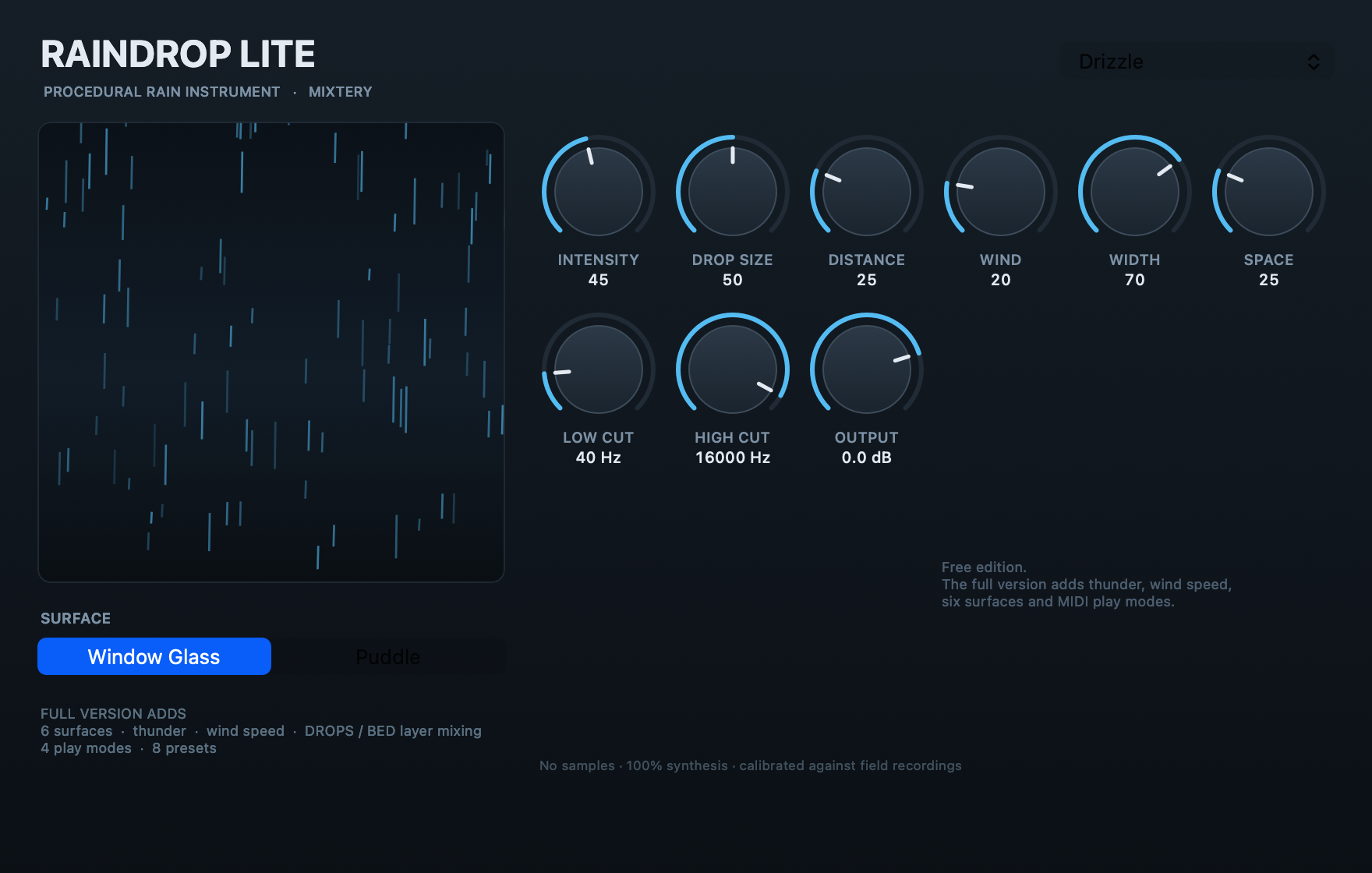
Audio Unit (AUv3), 236 KB — Logic Pro, GarageBand, Live, Studio One, Reaper, Bitwig. This one has the full graphical interface.
VST3, universal binary for Apple Silicon and Intel — Cubase, Nuendo, Live, Reaper, Studio One, Bitwig, FL Studio. Cubase does not load Audio Units on macOS, so Cubase users want this one. Your DAW draws the controls for it at the moment; a custom window is coming.
Both formats are in the same download and make exactly the same sound. A Windows VST3 is being worked on.
HOW IT WORKS
Real rain is not one noise. It is three layers stacked on top of each other: a diffuse wall of sound made of tens of thousands of overlapping impacts, a cloud of very short broadband ticks, and the individual droplets you can pick out up close. RAINDROP builds all three separately and mixes them.
Droplet sizes are drawn from the Marshall-Palmer distribution, the same exponential curve that describes real rainfall, so small drops dominate and big ones stay rare. On the Puddle surface you also get bubble resonance: the plink you hear when a drop hits water is not the impact at all, it is an air bubble trapped under the surface ringing as it shrinks.
CALIBRATED AGAINST REAL RAIN
This was not tuned by ear alone. The output was measured against public-domain field recordings across eight octave bands, spectral flatness, crest factor and envelope-modulation depth, and the engine was fitted to match.
Crest factor: real rain 18.6 to 29.4 dB, RAINDROP 19.6 dB.
Envelope modulation 0.5 to 4 Hz: real rain -4.4 to -7.1 dB, RAINDROP -6.6 dB.
No recordings ship inside the plug-in. They were reference material, the way a mastering engineer uses a reference track.
CONTROLS
Intensity, Drop Size, Surface (Window Glass or Puddle), Distance, Wind, Stereo Width, Space, Low Cut, High Cut, Output. Three presets. Every parameter is host-automatable. It follows your DAW transport, so it stops when you stop.
Every preset sits around -20 dBFS RMS, so it drops onto a bus without touching a fader.
INSTALL
Audio Unit: unzip, drag RAINDROP LITE.app to Applications, then RIGHT-CLICK it and choose Open. This build is not notarised by Apple yet, so double-clicking will be blocked. You only have to do this once. Restart your DAW and look under AU Instruments, Mixtery, RAINDROP LITE.
VST3: drag RAINDROP LITE.vst3 into /Library/Audio/Plug-Ins/VST3, restart your DAW and let it rescan.
REQUIREMENTS
Audio Unit: macOS 11 or later, Apple Silicon. VST3: macOS 10.13 or later, Apple Silicon or Intel.
THE FULL VERSION ADDS
Six surfaces including Metal Roof, Leaves, Umbrella and Canvas Tent. Thunder that varies strike by strike, from near cracks to rolls that take eight seconds to fade. Wind Speed, which moves gust rate, filter sweep and whistle rather than just volume. Separate DROPS and BED faders so you can mix the close droplets against the diffuse wall. Four play modes including MIDI Gate, where note length sets how long it rains. Eight presets.
Made by Mixtery.
Download
Install instructions
Unzip the download. It contains both plug-in formats.
AUDIO UNIT — Logic Pro, GarageBand, Live, Studio One, Reaper, Bitwig
1. Drag RAINDROP LITE.app into your Applications folder.
2. RIGHT-CLICK the app and choose Open, then click Open again. This step is required: the build is not notarised by Apple yet, so double-clicking shows "cannot be opened because the developer cannot be verified". You only have to do this once.
3. A small window confirms the Audio Unit is registered. You can quit it.
4. Restart your DAW. Audio Units are only scanned at launch.
5. In Logic Pro: Software Instrument track, instrument slot, AU Instruments, Mixtery, RAINDROP LITE.
VST3 — Cubase, Nuendo, Live, Reaper, Studio One, Bitwig, FL Studio
1. Drag RAINDROP LITE.vst3 into /Library/Audio/Plug-Ins/VST3 — the Library folder at the top level of your hard disk, not the one inside your home folder. (~/Library/Audio/Plug-Ins/VST3 works too if you would rather not need an admin password.)
2. Restart your DAW and let it rescan.
3. In Cubase: Add Instrument Track, Mixtery, RAINDROP LITE.
To uninstall, drag the app to the Trash and delete the .vst3 from the VST3 folder.
Leave a comment
Log in with itch.io to leave a comment.